
Slow computers at the company: when to perform maintenance and when to replace them?
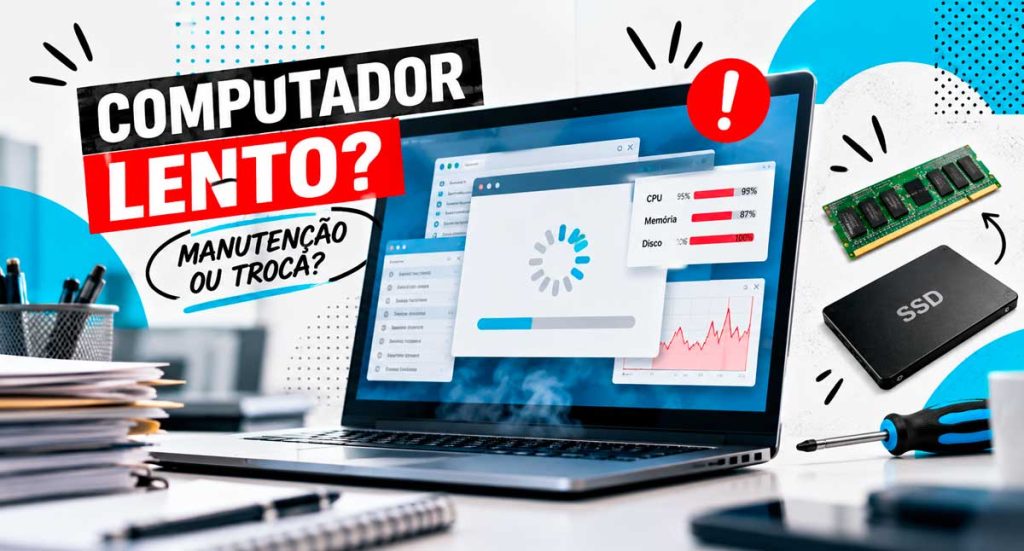
Slow computers in the workplace may seem like just an operational problem. However, when delays in opening programs, accessing files, or performing tasks become frequent, the impact goes far beyond employee irritation. After all, productivity decreases, processes are compromised, and operational costs can increase. Many companies tolerate equipment with performance issues without assessing their root causes. In some cases, preventative maintenance or component upgrades can restore computer speed. On the other hand, persisting with outdated machines can represent a waste of time and money. But how do you identify the right time to perform maintenance or invest in new equipment? In this article, BHead IT Solutions presents the main warning signs. Furthermore, it explains how to make this decision in a more strategic way. Why are the company’s computers slow? Performance loss can occur for various reasons. While aging equipment is an important factor, it is not always the primary cause of slowdowns. Among the most common causes are: Therefore, before replacing equipment, it is essential to identify the source of the problem through a technical diagnosis. This way, the company avoids unnecessary investments and directs its resources towards truly effective solutions. 5 signs that your company’s computers need attention. Computer failures don’t always happen suddenly. Most of the time, computers show signs that they need maintenance or upgrades. Therefore, recognizing these symptoms can prevent bigger problems. 1. Increasingly slow initialization If your computer takes several minutes to start up and get ready for use, there may be a problem related to storage, system configuration, or the number of programs that load automatically. Furthermore, when this delay happens daily, the lost time can accumulate over the course of a month. 2. Frequent crashes Programs that stop responding, frozen screens, and the constant need to restart indicate that something is not working correctly. Consequently, these problems hinder work and can lead to the loss of information that has not yet been saved. 📌 Read also:Outsourcing Technical Support: Reduce costs and increase company efficiency. 3. Difficulty running multiple programs It is common for employees to need to work simultaneously with web browsers, spreadsheets, management systems, and communication tools. However, when the computer cannot keep up with this demand, simple tasks start to consume more time. As a result, team productivity may decrease. 4. Overheating and excessive noise Fans running constantly at high speed and high temperatures may indicate cooling problems, dirt buildup, or heavy use of components. In these situations, the computer may automatically reduce its performance to prevent heat damage. Therefore, ignoring these signals can compromise both the speed and stability of the equipment. 5. Recurring failures and errors Error messages, unexpected shutdowns, and difficulties performing updates are signs that warrant investigation. This is because these symptoms can indicate anything from software problems to failures in physical components. Therefore, the earlier the diagnosis occurs, the greater the chances of avoiding prolonged interruptions. When is it worth investing in computer maintenance? Not every slow computer needs to be replaced. Depending on the condition of the equipment and its technical specifications, an intervention can provide a significant performance improvement. For example, some measures that deserve evaluation include: Replacing the HDD with an SSD For computers that still use traditional hard drives, installing an SSD can significantly improve system boot times and program opening times. Furthermore, this upgrade often represents an interesting alternative when the other components still meet the user’s needs. RAM memory expansion When memory capacity is insufficient for the applications used, expanding it can help the computer perform multiple tasks more efficiently. In this way, the equipment can continue to meet the company’s needs without requiring immediate replacement. Physical cleaning and preventive maintenance Dust removal, ventilation checks, and cooling system evaluations help prevent overheating and temperature-related failures. Furthermore, regular maintenance allows for the identification of potential problems before they compromise the computer’s functionality. Operating system optimization Analyzing installed programs, removing unnecessary applications, checking for malware, and fixing software problems can also improve performance. However, these actions should only occur after a technical evaluation. After all, investing in components without identifying the cause of the slowness can generate expenses without solving the problem. When is replacing your computer the best decision? Although maintenance can extend the lifespan of various pieces of equipment, there comes a point when continuing to invest in old machines ceases to be economically viable. Therefore, replacement should be considered especially when: In addition to these factors, it is important to assess the expected future use. After all, a computer that meets today’s needs may not be sufficient for new systems and processes that the company intends to implement. Therefore, the decision should consider not only the acquisition price, but also the total cost of use over time. In this way, the company can better plan its technology investments. Slow computers in the workplace: how much does this cost in productivity? The financial impact of delays often goes unnoticed because it rarely appears as a direct expense. However, small losses of time can represent a significant cost when they are repeated daily. Imagine an employee who loses just 10 minutes a day waiting for their computer to start up, programs to open, or tasks to complete. Considering 22 working days, this represents approximately 3 hours and 40 minutes lost per month. Now, imagine a company with 20 employees facing the same situation. In this hypothetical example, there would be more than73 hours of potentially wasted work per month. Naturally, this calculation is only an illustrative estimate. After all, the real impact depends on the activities performed, the frequency of problems, and the amount of time actually lost due to unproductivity. Nevertheless, the example demonstrates how small interruptions can compromise operational efficiency when they accumulate. In addition to wasted time, slow computers can cause delays in service, difficulties in executing processes, and employee dissatisfaction. Therefore, maintaining equipment in good condition is not just a technical matter. In practice, it also represents an important management and productivity decision. How to
How to identify a phishing email before it’s too late
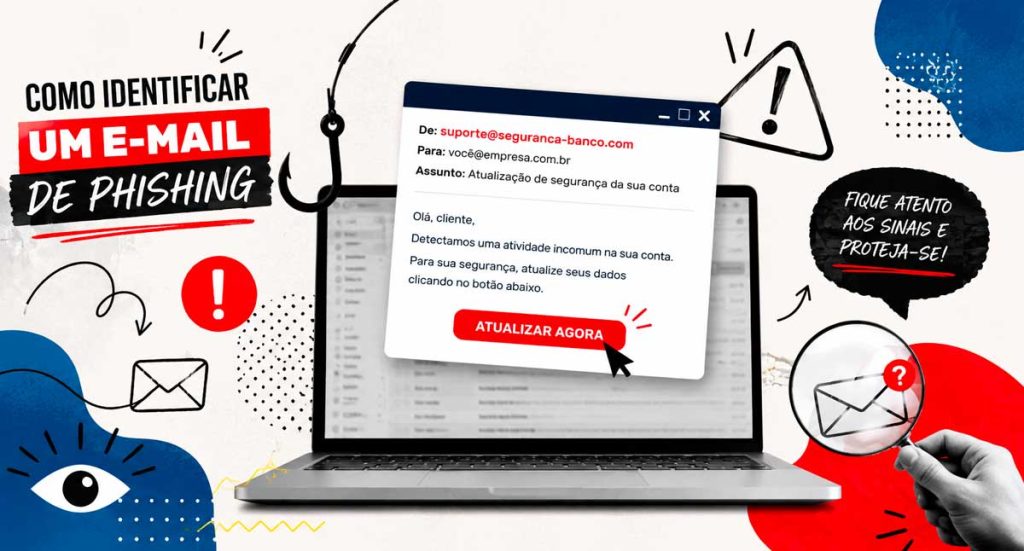
Every day, thousands of companies are targeted by online scams that begin in a seemingly harmless way: a simple email. In many cases, the message appears legitimate, uses the logo of a well-known company, and requests only a quick action. However, just one click is enough for confidential information to be compromised. Therefore, knowing How to identify a phishing email It has become an indispensable skill for employees, managers, and IT professionals. In addition to preventing financial losses, this knowledge helps protect strategic data and ensures greater business continuity. In this article, you will understand what phishing is, learn about the main warning signs, and discover how to significantly reduce the risks of this type of attack. What is phishing? Phishing is a technique used by criminals to deceive people and obtain confidential information. Typically, the attack occurs through fake emails that mimic communications from banks, suppliers, government agencies, well-known companies, or even colleagues. The objective can vary. In some cases, criminals try to steal passwords and banking data. In others, they seek to install malicious programs on victims’ computers. Furthermore, many attacks aim to capture login credentials for corporate systems or cloud services. Therefore, even a seemingly simple message can represent a significant risk for the company. Why does phishing remain so effective? Although security solutions have evolved considerably, criminals have also refined their strategies. Nowadays, many fraudulent emails have an extremely professional appearance. Furthermore, they use genuine logos, convincing signatures, and well-written text. In some cases, the criminals even research public information on social media to personalize the message and increase the credibility of the scam. As a result, identifying a fake email has become more difficult than it was a few years ago. 8 signs that help identify a phishing email 1. Carefully check the sender’s address. The name displayed in the email may seem correct. However, the email address often reveals the fraud. For example: ✔ financeiro@empresa.com.br ✖ financeiro@empresa-suporte.net Therefore, always check the full address before trusting the message. 2. Be wary of messages that create a sense of urgency. Criminals know that people under pressure make decisions faster. Therefore, they use phrases like: Whenever there is pressure to act quickly, pause and verify the authenticity of the message. 3. Check for spelling and formatting errors. Although many scams are well-crafted, it’s still common to find grammatical errors, automatic translations, words out of context, or strange formatting. In addition, different fonts, misaligned images, and low-quality logos can also indicate an attempt at fraud. 4. Analyze the links before clicking. Never click directly on links sent via email without verifying the destination address. Before taking any action, hover your mouse over the link and check the displayed domain. For example: Text presented: www.seubanco.com.br True destiny: seguranca-login-banco.xyz This way, you can identify many scams even before accessing the page. 5. Never share confidential information via email. Reputable companies rarely ask for this: If you receive such a request, stop the process immediately and confirm the information through official channels. 📌 READ ALSO: Why investing in digital security and antivirus software is essential for any company 6. Be careful with unexpected attachments. Attached files may contain viruses or other malicious programs. Formats that deserve more attention include: However, even PDF files can be used in phishing campaigns. Therefore, only open attachments when you are certain of their origin. 7. Be wary of generic greetings. Messages that begin with expressions such as: They may indicate bulk shipments. Although this doesn’t confirm fraud, it’s worth paying closer attention when other signs are also present. 8. Confirm changes to bank details. A fairly common scam involves sending new bank details for payment to suppliers. In this case, criminals often hack into a legitimate email account or create addresses that are very similar to the real ones. Therefore, before changing any financial information, confirm the request by phone or through another official channel. This way, you significantly reduce the risk of losses. What should you do if you receive a suspicious email? If you receive a message that appears to be phishing, remain calm. Right away: Furthermore, if you have any doubts, contact the company that supposedly sent the email directly. How to protect your company against phishing attacks. Prevention depends on a combination of technology, processes, and employee awareness. Among the main measures are: When these practices are adopted together, the company significantly reduces its exposure to threats. What is the role of the IT team? The IT team plays a key role in preventing attacks. In addition to continuously monitoring the corporate environment, these professionals are responsible for configuring security filters, updating systems, blocking malicious domains, and guiding users on best practices. Similarly, a specialized company can identify vulnerabilities before they are exploited by criminals. Consequently, the organization gains more security, reduces operational risks, and improves its ability to respond to incidents. Conclusion Phishing attacks are becoming increasingly sophisticated. However, most of them can be prevented when employees receive adequate training and the company invests in a consistent information security strategy. More than just installing protection tools, it’s essential to develop a culture of prevention. After all, a single click on a malicious email can compromise strategic information, disrupt operations, and cause financial losses. Therefore, investing in technology, continuous monitoring, and team awareness is one of the smartest decisions any organization can make. If your company wants to strengthen its digital security and reduce the risk of cyberattacks, rely on experts who combine experience, processes, and modern solutions to protect your IT environment. Talk to BHead BHead offers complete solutions in IT support, information security, environment monitoring, infrastructure, and protection against digital threats. Get in touch and discover how we can help your company operate with greater security, availability, and peace of mind. 📱 WhatsApp: (11) 4210-1774