
Two-factor authentication: how it enhances your company’s security
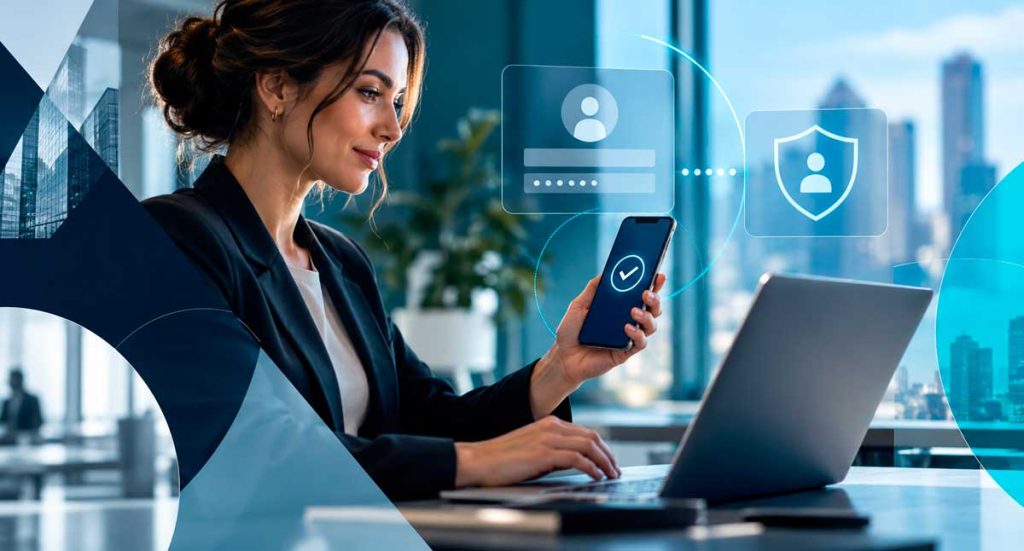
Digital security is no longer a concern exclusive to large companies. Today, businesses of all sizes use emails, corporate systems, cloud storage, financial platforms, social networks, and various other tools that store important information. Therefore, relying solely on a password is no longer enough. Even a strong password can end up exposed in a data breach, be reused on other services, or fall into the hands of criminals through phishing scams. In this scenario, two-factor authentication has become one of the most important measures to increase the protection of corporate accounts. What is two-factor authentication? Two-factor authentication, also known as 2FA, adds an extra step to the process of accessing an account. Instead of just providing a username and password, the user also needs to confirm their identity in a second way. This additional validation can occur through different methods, such as: In practice, this means that even if a criminal discovers a user’s password, they will still need to overcome a second layer of protection to access the account. Therefore, 2FA significantly reduces the risk of a compromised credential resulting in a breach. Why is a password alone no longer enough? Passwords remain important. However, criminals have various ways of obtaining them. One of the most common is phishing. In this type of scam, the criminal tricks the user into entering their credentials on a fake page that mimics a legitimate service. In addition, other risks can also compromise passwords, such as: When a company uses only a password as a security barrier, any of these situations can pave the way for unauthorized access. On the other hand, with two-factor authentication enabled, the password is no longer the only element required to access the account. How does two-factor authentication increase security? The main benefit of 2FA lies in the additional difficulty it creates for those attempting to access an account improperly. Imagine, for example, that an employee falls victim to a phishing scam and enters their password on a fake website. Without a second layer of authentication, the attacker can try to use those credentials immediately. With 2FA enabled, however, the system will also require additional confirmation. Therefore, even if the criminal has the password, they will still encounter another obstacle before they can access the account. This small change to the login process can prevent much bigger problems. Which company accounts should use 2FA? Whenever a platform offers two-factor authentication, it’s worth evaluating whether to activate it. Some accounts, however, should be given priority. Corporate emails Email is often one of the most important accounts within a company. In addition to centralizing business information, it also often allows for the recovery of passwords from other systems. Therefore, if a criminal manages to access an email account, they may try to compromise several other services. In this sense, protecting corporate email with a second authentication step is an essential measure. Microsoft 365 e Google Workspace Environments like Microsoft 365 and Google Workspace centralize emails, files, documents, calendars, and shared information. Consequently, an intrusion into these platforms can have significant impacts on the company. For this reason, the use of two-factor authentication in these environments should be part of security policies. Administrative and financial systems ERPs, financial systems, banking platforms, and management tools store sensitive information and often enable important operations. Therefore, these accounts require high levels of protection. Whenever the system offers support for the feature, the company should consider 2FA a priority. Corporate social networks Instagram, Facebook, LinkedIn, and other social media accounts also attract criminals. An intrusion can cause loss of access, publication of inappropriate content, and even scams against customers and followers. Furthermore, compromising these accounts could damage the company’s reputation. Therefore, it is also important to enable two-factor authentication on corporate social networks. Cloud storage services Cloud storage platforms can contain documents, contracts, shared files, and even backups. Therefore, protecting these accounts with additional authentication helps reduce the risk of unauthorized access to important information. SMS, authenticator app, or security key? There are different methods of two-factor authentication, and naturally, each offers a different level of protection. The code sent via SMS continues to be widely used and represents an important additional layer of protection compared to using only a password. However, authenticator apps often offer a more secure alternative, as they generate codes directly on the device and do not depend on the carrier’s network. In addition, companies can also use physical security keys for more critical accounts. These keys typically offer even greater protection and make particular sense for administrators, managers, and users with privileged access. Therefore, the ideal method depends on the structure, risk level, and needs of each company. Are 2FA and MFA the same thing? The concepts are similar, but there is a slight difference. 2FA stands for two-factor authentication and uses exactly two forms of confirmation. MFA, in turn, stands for multifactor authentication and can use two or more forms of validation. Despite this difference, both follow the same principle: requiring more than one piece of evidence to confirm the user’s identity. In practice, companies can use both concepts within their security strategies. Two-factor authentication (2FA) does not replace other security measures. Although two-factor authentication greatly increases account security, it should not be used in isolation. A good security strategy also needs to include other measures, such as: In addition, the company should periodically review its security settings. This is because new threats are constantly emerging, and at the same time, the internal structure is also changing with new hires, departures, new systems, and shifts in responsibility. Therefore, digital security should be treated as an ongoing process. 📌 READ ALSO: Why investing in digital security and antivirus software is essential for any company Special attention should be given to users with administrative privileges. Administrative accounts deserve an even higher level of protection. These users can change settings, create accounts, modify permissions, and access critical information. Consequently, a compromised administrative account can have a much greater impact than a
How to identify a phishing email before it’s too late
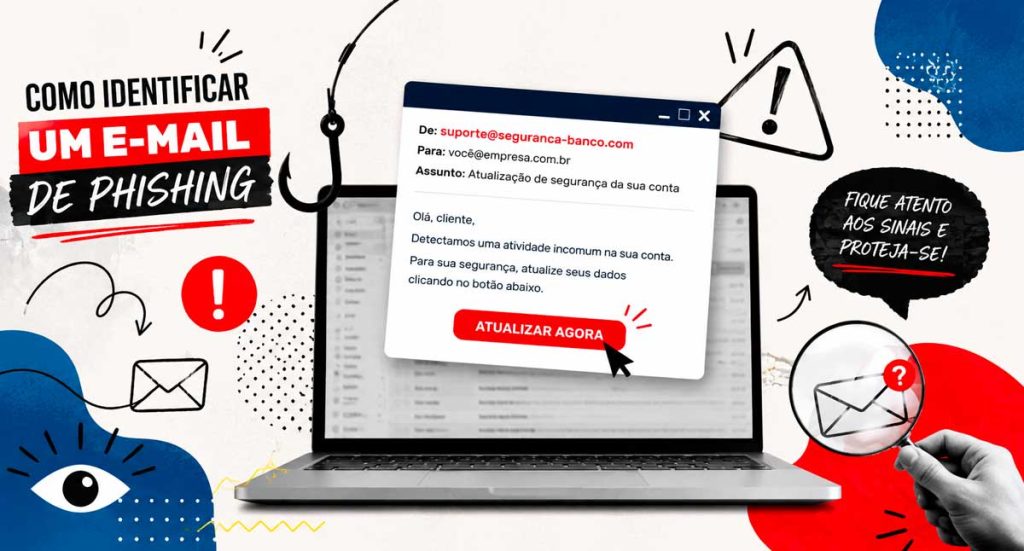
Every day, thousands of companies are targeted by online scams that begin in a seemingly harmless way: a simple email. In many cases, the message appears legitimate, uses the logo of a well-known company, and requests only a quick action. However, just one click is enough for confidential information to be compromised. Therefore, knowing How to identify a phishing email It has become an indispensable skill for employees, managers, and IT professionals. In addition to preventing financial losses, this knowledge helps protect strategic data and ensures greater business continuity. In this article, you will understand what phishing is, learn about the main warning signs, and discover how to significantly reduce the risks of this type of attack. What is phishing? Phishing is a technique used by criminals to deceive people and obtain confidential information. Typically, the attack occurs through fake emails that mimic communications from banks, suppliers, government agencies, well-known companies, or even colleagues. The objective can vary. In some cases, criminals try to steal passwords and banking data. In others, they seek to install malicious programs on victims’ computers. Furthermore, many attacks aim to capture login credentials for corporate systems or cloud services. Therefore, even a seemingly simple message can represent a significant risk for the company. Why does phishing remain so effective? Although security solutions have evolved considerably, criminals have also refined their strategies. Nowadays, many fraudulent emails have an extremely professional appearance. Furthermore, they use genuine logos, convincing signatures, and well-written text. In some cases, the criminals even research public information on social media to personalize the message and increase the credibility of the scam. As a result, identifying a fake email has become more difficult than it was a few years ago. 8 signs that help identify a phishing email 1. Carefully check the sender’s address. The name displayed in the email may seem correct. However, the email address often reveals the fraud. For example: ✔ financeiro@empresa.com.br ✖ financeiro@empresa-suporte.net Therefore, always check the full address before trusting the message. 2. Be wary of messages that create a sense of urgency. Criminals know that people under pressure make decisions faster. Therefore, they use phrases like: Whenever there is pressure to act quickly, pause and verify the authenticity of the message. 3. Check for spelling and formatting errors. Although many scams are well-crafted, it’s still common to find grammatical errors, automatic translations, words out of context, or strange formatting. In addition, different fonts, misaligned images, and low-quality logos can also indicate an attempt at fraud. 4. Analyze the links before clicking. Never click directly on links sent via email without verifying the destination address. Before taking any action, hover your mouse over the link and check the displayed domain. For example: Text presented: www.seubanco.com.br True destiny: seguranca-login-banco.xyz This way, you can identify many scams even before accessing the page. 5. Never share confidential information via email. Reputable companies rarely ask for this: If you receive such a request, stop the process immediately and confirm the information through official channels. 📌 READ ALSO: Why investing in digital security and antivirus software is essential for any company 6. Be careful with unexpected attachments. Attached files may contain viruses or other malicious programs. Formats that deserve more attention include: However, even PDF files can be used in phishing campaigns. Therefore, only open attachments when you are certain of their origin. 7. Be wary of generic greetings. Messages that begin with expressions such as: They may indicate bulk shipments. Although this doesn’t confirm fraud, it’s worth paying closer attention when other signs are also present. 8. Confirm changes to bank details. A fairly common scam involves sending new bank details for payment to suppliers. In this case, criminals often hack into a legitimate email account or create addresses that are very similar to the real ones. Therefore, before changing any financial information, confirm the request by phone or through another official channel. This way, you significantly reduce the risk of losses. What should you do if you receive a suspicious email? If you receive a message that appears to be phishing, remain calm. Right away: Furthermore, if you have any doubts, contact the company that supposedly sent the email directly. How to protect your company against phishing attacks. Prevention depends on a combination of technology, processes, and employee awareness. Among the main measures are: When these practices are adopted together, the company significantly reduces its exposure to threats. What is the role of the IT team? The IT team plays a key role in preventing attacks. In addition to continuously monitoring the corporate environment, these professionals are responsible for configuring security filters, updating systems, blocking malicious domains, and guiding users on best practices. Similarly, a specialized company can identify vulnerabilities before they are exploited by criminals. Consequently, the organization gains more security, reduces operational risks, and improves its ability to respond to incidents. Conclusion Phishing attacks are becoming increasingly sophisticated. However, most of them can be prevented when employees receive adequate training and the company invests in a consistent information security strategy. More than just installing protection tools, it’s essential to develop a culture of prevention. After all, a single click on a malicious email can compromise strategic information, disrupt operations, and cause financial losses. Therefore, investing in technology, continuous monitoring, and team awareness is one of the smartest decisions any organization can make. If your company wants to strengthen its digital security and reduce the risk of cyberattacks, rely on experts who combine experience, processes, and modern solutions to protect your IT environment. Talk to BHead BHead offers complete solutions in IT support, information security, environment monitoring, infrastructure, and protection against digital threats. Get in touch and discover how we can help your company operate with greater security, availability, and peace of mind. 📱 WhatsApp: (11) 4210-1774