
Digital security is no longer a concern exclusive to large companies. Today, businesses of all sizes use emails, corporate systems, cloud storage, financial platforms, social networks, and various other tools that store important information.
Therefore, relying solely on a password is no longer enough.
Even a strong password can end up exposed in a data breach, be reused on other services, or fall into the hands of criminals through phishing scams. In this scenario, two-factor authentication has become one of the most important measures to increase the protection of corporate accounts.
What is two-factor authentication?
Two-factor authentication, also known as 2FA, adds an extra step to the process of accessing an account.
Instead of just providing a username and password, the user also needs to confirm their identity in a second way.
This additional validation can occur through different methods, such as:
- code sent by SMS;
- code generated by authenticator app;
- Confirmation on an authorized device;
- biometrics;
- physical security key.
In practice, this means that even if a criminal discovers a user’s password, they will still need to overcome a second layer of protection to access the account.
Therefore, 2FA significantly reduces the risk of a compromised credential resulting in a breach.
Why is a password alone no longer enough?
Passwords remain important. However, criminals have various ways of obtaining them.
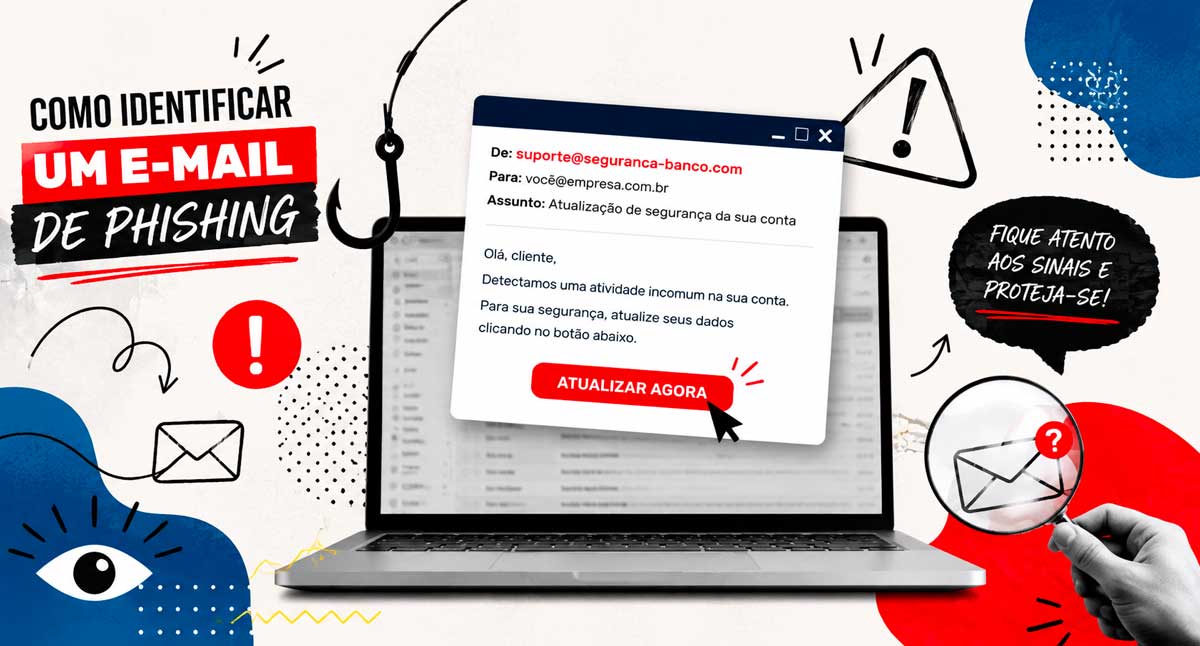
One of the most common is phishing. In this type of scam, the criminal tricks the user into entering their credentials on a fake page that mimics a legitimate service.
In addition, other risks can also compromise passwords, such as:
- data leaks in external services;
- Use of simple passwords;
- Repeating the same password on different platforms;
- computers infected with malware;
- Inappropriate sharing of credentials.
When a company uses only a password as a security barrier, any of these situations can pave the way for unauthorized access.
On the other hand, with two-factor authentication enabled, the password is no longer the only element required to access the account.
How does two-factor authentication increase security?
The main benefit of 2FA lies in the additional difficulty it creates for those attempting to access an account improperly.
Imagine, for example, that an employee falls victim to a phishing scam and enters their password on a fake website.
Without a second layer of authentication, the attacker can try to use those credentials immediately.
With 2FA enabled, however, the system will also require additional confirmation.
Therefore, even if the criminal has the password, they will still encounter another obstacle before they can access the account.
This small change to the login process can prevent much bigger problems.
Which company accounts should use 2FA?
Whenever a platform offers two-factor authentication, it’s worth evaluating whether to activate it.
Some accounts, however, should be given priority.
Corporate emails
Email is often one of the most important accounts within a company.
In addition to centralizing business information, it also often allows for the recovery of passwords from other systems.
Therefore, if a criminal manages to access an email account, they may try to compromise several other services.
In this sense, protecting corporate email with a second authentication step is an essential measure.
Microsoft 365 e Google Workspace
Environments like Microsoft 365 and Google Workspace centralize emails, files, documents, calendars, and shared information.
Consequently, an intrusion into these platforms can have significant impacts on the company.
For this reason, the use of two-factor authentication in these environments should be part of security policies.
Administrative and financial systems

ERPs, financial systems, banking platforms, and management tools store sensitive information and often enable important operations.
Therefore, these accounts require high levels of protection.
Whenever the system offers support for the feature, the company should consider 2FA a priority.
Corporate social networks
Instagram, Facebook, LinkedIn, and other social media accounts also attract criminals.
An intrusion can cause loss of access, publication of inappropriate content, and even scams against customers and followers.
Furthermore, compromising these accounts could damage the company’s reputation.
Therefore, it is also important to enable two-factor authentication on corporate social networks.
Cloud storage services
Cloud storage platforms can contain documents, contracts, shared files, and even backups.
Therefore, protecting these accounts with additional authentication helps reduce the risk of unauthorized access to important information.
SMS, authenticator app, or security key?
There are different methods of two-factor authentication, and naturally, each offers a different level of protection.
The code sent via SMS continues to be widely used and represents an important additional layer of protection compared to using only a password.
However, authenticator apps often offer a more secure alternative, as they generate codes directly on the device and do not depend on the carrier’s network.
In addition, companies can also use physical security keys for more critical accounts.
These keys typically offer even greater protection and make particular sense for administrators, managers, and users with privileged access.
Therefore, the ideal method depends on the structure, risk level, and needs of each company.
Are 2FA and MFA the same thing?
The concepts are similar, but there is a slight difference.
2FA stands for two-factor authentication and uses exactly two forms of confirmation.
MFA, in turn, stands for multifactor authentication and can use two or more forms of validation.
Despite this difference, both follow the same principle: requiring more than one piece of evidence to confirm the user’s identity.
In practice, companies can use both concepts within their security strategies.
Two-factor authentication (2FA) does not replace other security measures.
Although two-factor authentication greatly increases account security, it should not be used in isolation.
A good security strategy also needs to include other measures, such as:
- Strong and unique passwords;
- Frequent system and application updates;
- Antivirus and appropriate protection tools;
- regular backups;
- Access control and permissions;
- Employee training;
- IT infrastructure monitoring.
In addition, the company should periodically review its security settings.
This is because new threats are constantly emerging, and at the same time, the internal structure is also changing with new hires, departures, new systems, and shifts in responsibility.
Therefore, digital security should be treated as an ongoing process.
📌 READ ALSO: Why investing in digital security and antivirus software is essential for any company
Special attention should be given to users with administrative privileges.
Administrative accounts deserve an even higher level of protection.
These users can change settings, create accounts, modify permissions, and access critical information.
Consequently, a compromised administrative account can have a much greater impact than a regular account.
Therefore, the company should prioritize multifactor authentication for:
- network administrators;
- Server administrators;
- Microsoft 365 or Google Workspace managers;
- responsible for corporate systems;
- users with financial access;
- Those responsible for backups and infrastructure.
Furthermore, it is worthwhile to periodically review who truly needs to retain administrative privileges.
The smaller the number of users with high access, the smaller the risk surface tends to be.
How do I start implementing two-factor authentication in my company?
The first step is to identify which systems and services used by the company offer support for additional authentication.
Next, the company must define an order of priority.
An initial deployment could begin with:
- email accounts;
- Microsoft 365 ou Google Workspace;
- administrative users;
- financial systems;
- cloud storage;
- Corporate social networks;
- other tools used in everyday life.
In addition, employees need to understand how the feature works.
This training is important because the user also needs to know how to act in suspicious situations.
For example, if a person receives an authentication request without having attempted to access the account, they should not approve it.
In this case, the request may indicate that someone already has the password and is trying to complete the login.
Therefore, in addition to enabling 2FA, the company also needs to educate its users.
Digital security works best in layers.
No single tool can eliminate all risks.
Therefore, the best strategy consists of creating multiple protective barriers.
Two-factor authentication represents one of these layers.
At the same time, backups, updates, access control, endpoint protection, and user training help strengthen the entire infrastructure.
In this way, even if one barrier fails, others can still prevent or hinder an attack.
Does your company already use two-factor authentication?
Implementing 2FA is usually relatively simple. Even so, many companies continue to use only a username and password on important systems.
This scenario increases exposure to intrusions that could be avoided with an additional layer of protection.
BHead IT Solutions assists companies in evaluating and improving their IT infrastructure, including security, access management, networks, systems, and best practices for digital protection.
Furthermore, a professional analysis helps identify which accounts should be prioritized and which authentication methods make the most sense for each environment.
Adopting preventive measures reduces risks, improves control, and contributes to a safer and more reliable IT environment.
Contact BHead by whatsapp Discover how to strengthen your company’s digital security.